
PostHog Blocker: A Chrome extension to block yourself from PostHog
A lightweight Chrome extension that empowers users to block PostHog analytics and recordings on domains of their choice for enhanced privacy.
Overview
PostHog Self-Blocker is a Manifest V3 Chrome extension that gives you full control over PostHog analytics and session recordings. By maintaining a domain allowlist, the extension intercepts PostHog’s API calls and network requests, ensuring no data is sent to PostHog on sites you choose to block.
Features
- Block PostHog analytics and session recordings on exact domains and all subdomains
- Dynamic network blocking via Chrome’s declarativeNetRequest API
- JavaScript API interception with a no-operation stub injected at document start
- Domain list stored and synced across browsers using
chrome.storage.sync - Clean, responsive options UI with dark mode support
- Real-time updates—no page reload required
Technical Details
This project is built with plain JavaScript using Chrome Extension Manifest V3:
• manifest.json
• Declares permissions: storage, declarativeNetRequest, <all_urls>
• Registers the background service worker and content script
• background.js
• Reads the blocked-domains list from chrome.storage.sync
• Clears old dynamic rules and installs new blocking rules for PostHog endpoints (eu.i.posthog.com)
• Listens to storage, install, and startup events to keep rules in sync
• content_script.js
• Runs at document_start on all pages
• Checks if the current hostname matches any blocked domain or subdomain
• Defines a stubbed window.posthog object to no-op all API calls
• options.html & options.js
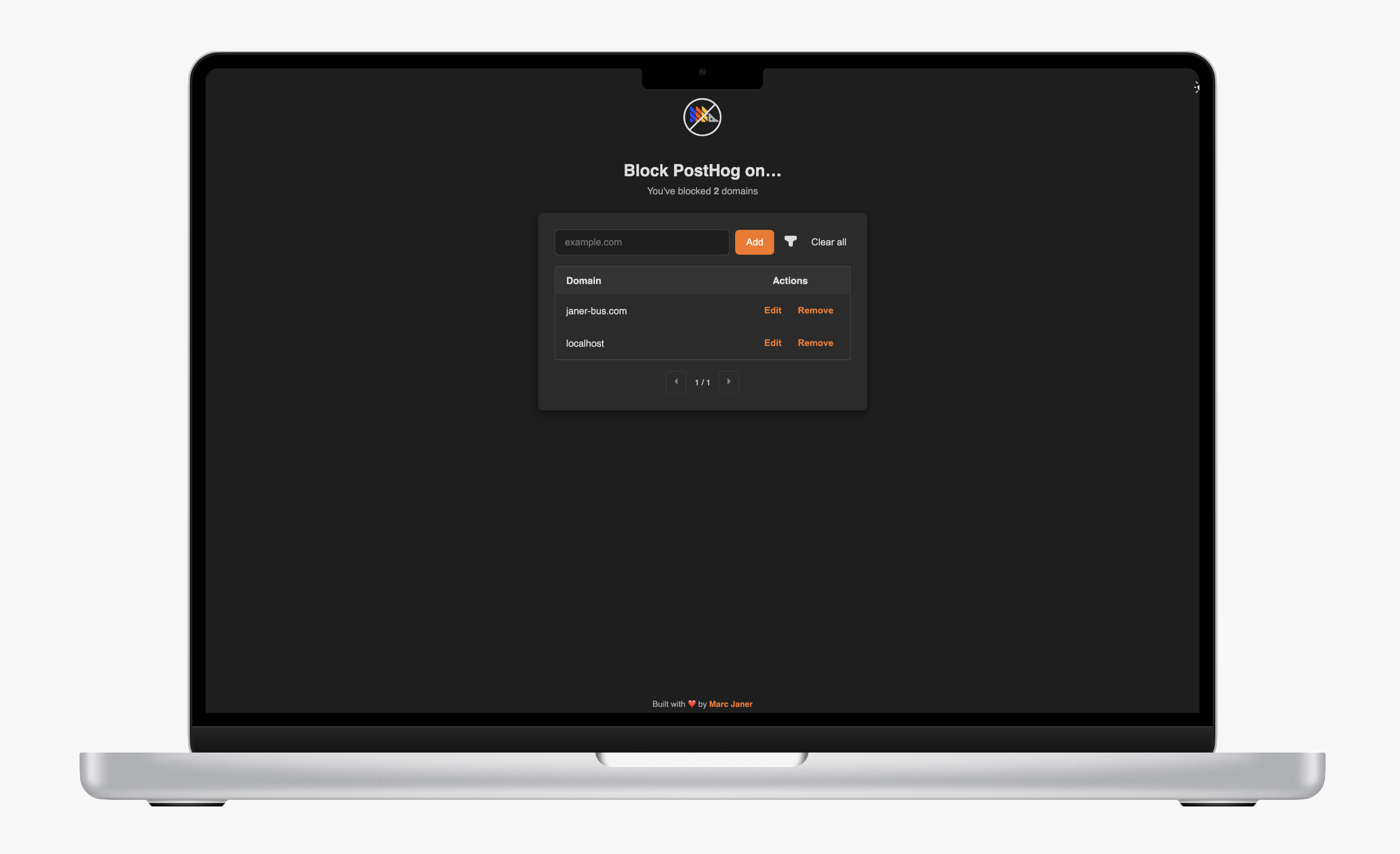
• Provide a UI for adding, removing, and searching domains in the blocked list
• Sync user changes in real time and trigger a background rule refresh
• rules.json
• (Optional) Static rules template for network request interception
How It Works
- Domain Management
Users add domains in the options page; the list is saved tochrome.storage.sync. - Rule Sync
On install, startup, or storage change,background.jsrebuilds all blocking rules viadeclarativeNetRequest.updateDynamicRules. - Network Blocking
Requests to PostHog’s API (eu.i.posthog.com) are blocked before they leave the browser. - API Interception
A content script injects before the page loads, overridingwindow.posthogwith a stub that quietly ignores all calls.
Project Structure
- manifest.json
- background.js
- content_script.js
- options.html
- options.js
- rules.json
- README.md
- screenshot.png
- icon128.png
- icon128_white.png
Installation & Usage
- Install from the Chrome Web Store here
- Or load unpacked:
- Clone the repository
- Go to
chrome://extensions/and enable Developer mode - Click “Load unpacked” and select the extension folder
- Click the extension icon, add domains to block, and enjoy privacy without rebuilding or reloading pages.